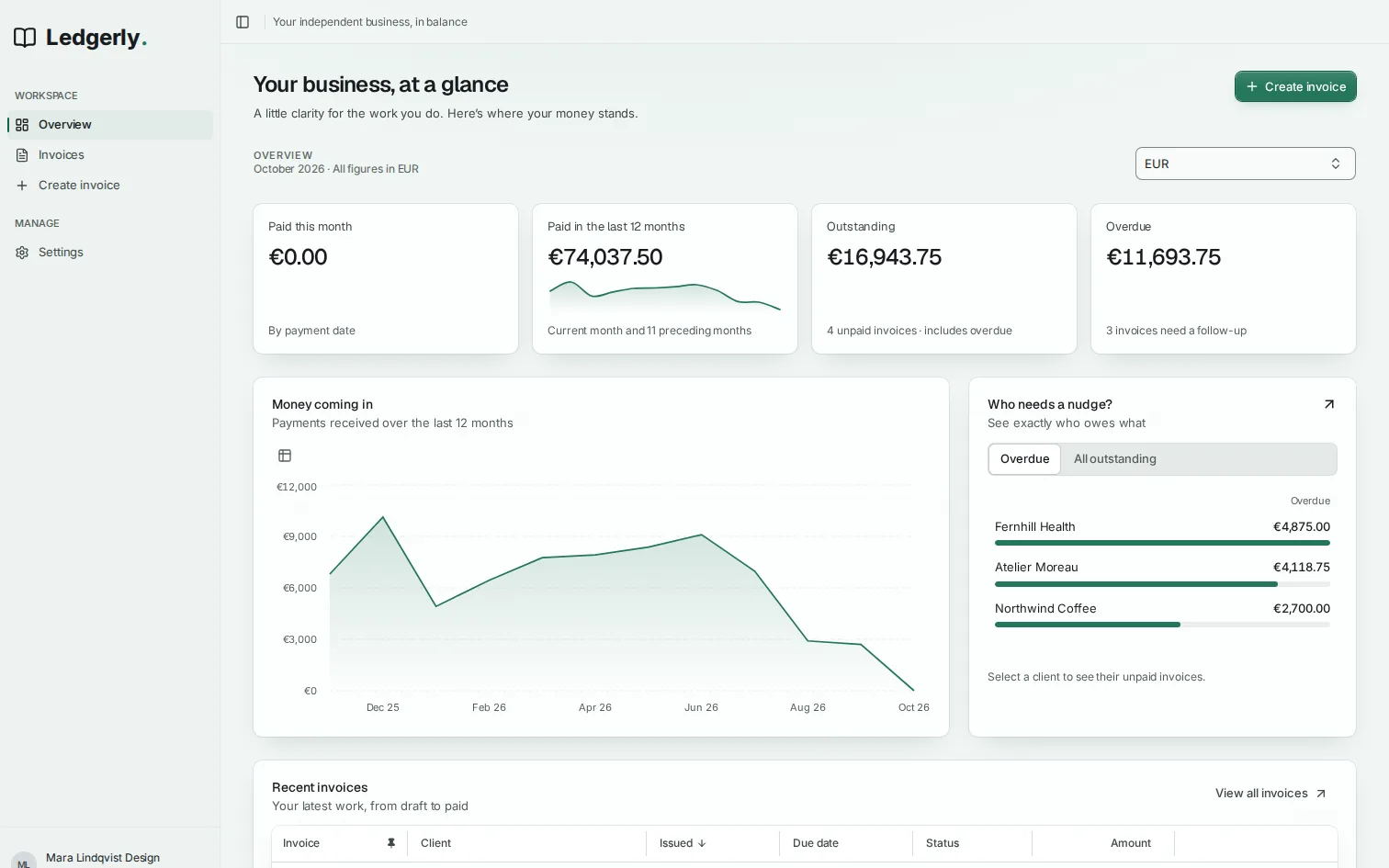
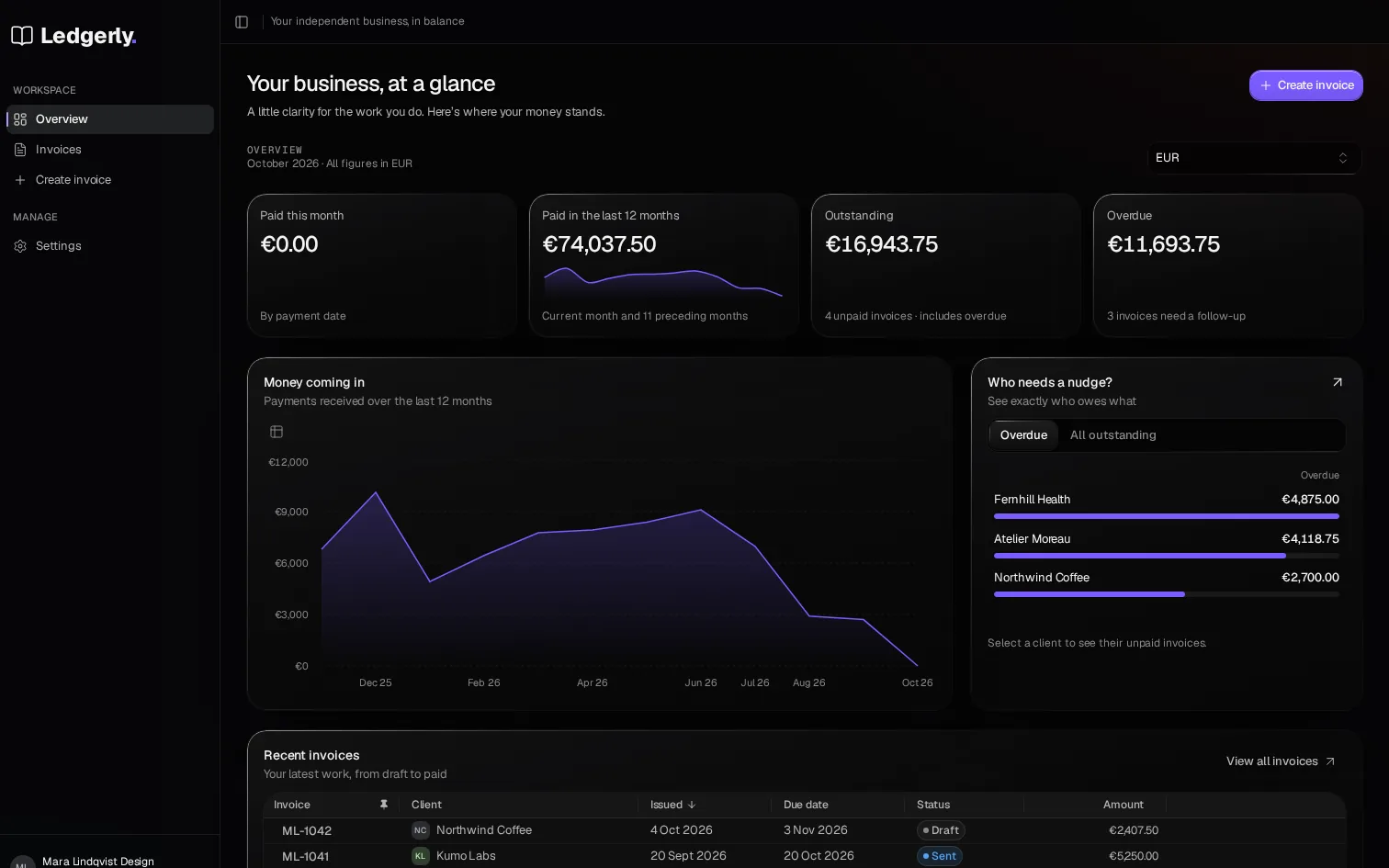
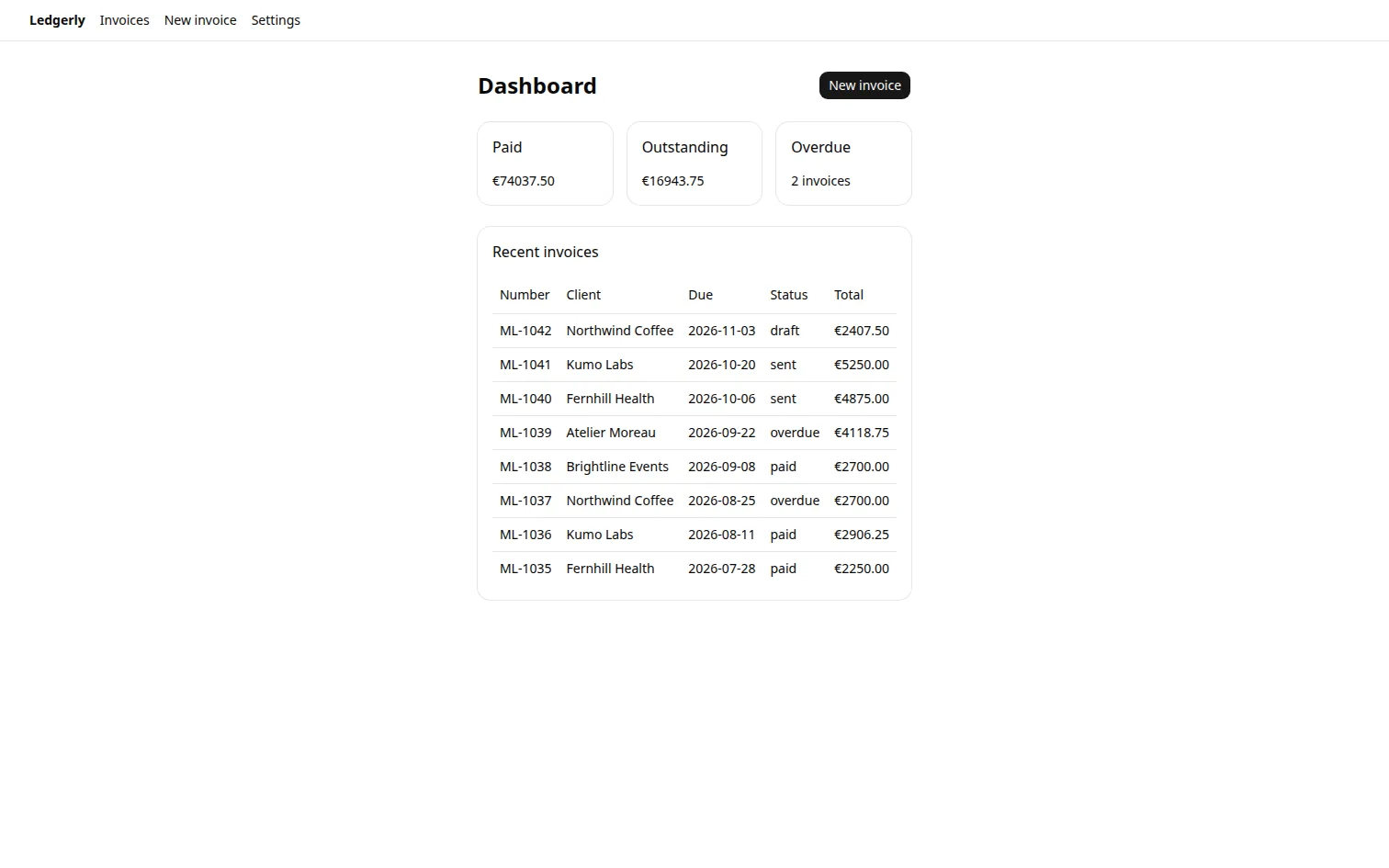
200+ components and 50+ complete screens, with motion, responsive layouts and loading states built in. Build custom screens. Edit the React and CSS yourself, or with your coding agent.
Switch the range and the revenue figure rolls digit by digit, its change turns over and the trend redraws.
In detail
Dialogs open from their trigger and selected surfaces travel between choices. Each look brings its own motion character, from Prism's quick, rigid movement to softer, more fluid styles. Tune the pace for the whole app from one setting.
Press Save, copy the free sample's install command, then delete the draft and undo it.
In detail
Buttons acknowledge a press, loaders turn into a check or cross, and skeletons hold the shape of content as it arrives. Copy actions confirm success; destructive actions ask in place and offer undo. Bring these finished interactions straight into your app.
Synthesized cues for tap, select, destructive actions, toggles, opening, closing, ticks, success and error.
Volume
Sound starts off. Turn it on, then press a pad to hear its cue; every pad also answers visibly.
In detail
Give everyday actions a distinct sound: a tap, a toggle, a completed task. Enable the cues that suit your app, set their volume and let people mute them. Every action also responds visually.
Controls and complete screens adapt to their available room, with keyboard paths and visible focus states.
Customer
Plan
Seats
Status
Amount
Northwind LabsTeam · 24 seatsPaid
Team
24
Paid
$1,152
Acme RoboticsBusiness · 60 seatsOverdue
Business
60
Overdue
$4,320
Helio StudioStarter · 5 seatsPaid
Starter
5
Paid
$95
BrightlineTeam · 12 seatsPending
Team
12
Pending
$576
Switch to Phone and Plan, Seats and Status fold under each customer's name as the frame narrows.
In detail
Tables fold supporting details beneath the main column, and screens rearrange as their space changes. Keyboard navigation, visible focus and focus return after closing a dialog keep people moving through the same workflows.
More of our own apps: Proofdesk and Scribeline. Explore their live demos and the recorded rebuilds.
Every screen a SaaS needs. Already designed.
Dashboards, pipelines, AI assistants, trading, settings, sign-in, pricing: 200+ components and 50+ complete screens your agent puts together for your product. Open any one to try it live.
Start with Prism: cut-glass edges, quiet surfaces and split light where you interact. Explore nine distinct looks, or make one your own with custom fonts, colours, corners and motion. Every screen follows.
Connect once. Then just ask.
Your agent reads Beamline’s menu, picks the part made for each field, installs only those and checks its own work. You only say what the screen is for.
Your agentClaude Code, Codex, Cursor…
One look and brand change updates every part.
Connected · signed in onceOnboarding built · 5 parts · 0 to fix
Make it Metal, in our brand amber.
Done. One line in app/layout.tsx: every screen follows the new look and colour.
Ask your agent…
Your app · 5 of 5 parts
localhost:3000/onboardingwith Beamline
Set up your workspace
Step 1 of 3
Workspace nameNorthline
PlanTeam
GoalMore sign-ups
RegionEurope
Product tipsyes
Your repo · plain React, with the choices recorded.
Your repo
app/layout.tsxlook + brand: 1 line
app/onboarding/page.tsxrebuilt
package.json+5 parts
AGENTS.md+ Beamline block
CLAUDE.md+ Beamline block
BEAMLINE.mdwhy each part, new
Plain React in your repo. Ask for the source of any part and change it.
You: “Set up Beamline for this app.” Your agent runs npx beamline-connect, you sign in once, and it adds a Beamline block to AGENTS.md and CLAUDE.md.
You: “Redo the workspace onboarding: name, plan, goal, region and product tips.” Your agent reads the menu (beamline_capabilities) and picks Workspace name: Input (free text: a text box is right); Plan: Segmented control (three options, all visible); Goal: Radio cards (choices that need a line); Region: Select (a long list: a select is right); Product tips: Switch (on or off). It installs those five parts (beamline_install), writes why in BEAMLINE.md, rebuilds app/onboarding/page.tsx and checks the screen with the audit on your machine (beamline-audit): nothing to fix.
You: “Make it Metal, in our brand amber.” One line in app/layout.tsx changes the look and the brand colour; every screen follows.
A scripted scene. The parts and the agent’s calls are the real ones; every part on this screen is in the free sample.
Fix-or-refund promise: if a part doesn't work as described, we will fix it or refund you.Changed your mind? Our voluntary 30-day refund holds until you first install a paid element or open its source.Card or PayPal; crypto outside the EU, EEA and UK only. Your account gets access as soon as you have paid.
One licence gives you personal access to Beamline, for any number of your own and your clients’ apps, commercial ones included. Everyone working on an app may use, edit, build and ship its installed code. They need their own licence to use Beamline’s MCP or library, or take its parts into another app. Don’t resell the parts as a kit.
Questions
Can I try it without an account?
Yes. Choose Try it free: one command installs every free component's MIT source with Beamline or shadcn, without an account or card. The free sample is also on GitHub. Connecting an agent through our hosted MCP is optional and needs sign-in; buying opens the complete system.
Does it work with my stack?
Beamline works with React 19 and any backend: your data and actions reach the parts through props and handlers. We test Next.js App Router and Vite, with npm or pnpm. Compiled packages need no Tailwind; editable source and registry installs use Tailwind v4. Already use shadcn/ui? Try the free Settings screen first, or use compiled packages inside their own UIRoot to adopt one screen at a time. Your app supplies storage and permissions.
Can my team work with the code?
One purchase gives one person access to their Beamline account, the MCP server, installs, updates and the full library. Teammates, contractors and clients may use, edit, build and ship the code you install as part of that app, without a Beamline account. They need their own licence to use Beamline's MCP server or library, or to take Beamline parts into other apps. Commercial use is included; there is no subscription.
Can I edit the source and build my own screens?
Yes. Individual components and complete screens come as editable React, TypeScript and CSS source in src/ui/beamline. Compose your own layouts, change a component's behavior and style it for your product. You can also choose local compiled packages. You own your end products and changes under the licence; paid Beamline parts cannot be resold as a UI kit. The free sample on GitHub is MIT. Coding agents are optional.
Can I use my own design system or my own style?
Yes. Start from any look and change its public tokens: your own fonts, radii, roundness, spacing density, motion, and surface, text and chart colours. Use the local studio when your bundle includes it, or ask your agent to use the local style CLI. Your files live in src/styles/beamline; upgrades leave them alone. Use className, data-slot and data-state for individual parts, or edit their source directly. Component CSS is in @layer components, and your own parts can use the same role classes. A look changes type, icon weight, surfaces and the page without changing the size scale; fonts can change text wrapping.
What if Beamline disappears?
Lifetime updates, for as long as we publish them. Your installed app keeps running without our website or MCP server: Beamline makes no runtime calls to our servers. Keep the source and .beamline/ archives with your app. Versions you received remain licensed to you if we stop publishing; future downloads and updates may stop. Your own backend and other dependencies remain yours to maintain.
What if a part doesn't work?
Try the free sample first; it is the same system. If a part you bought doesn't work as described, tell us: we will fix it or refund you.
How do I pay?
By card or PayPal through Paddle, our reseller and Merchant of Record, which adds any VAT or sales tax for your country and sends your invoice; or in crypto (USDC, USDT, BTC, ETH, SOL and more) through NOWPayments. Your account gets access as soon as you have paid. Crypto checkout is for buyers outside the EU, EEA and UK; there, or when we can't tell your country, pay by card or PayPal. Changed your mind? Our voluntary 30-day refund holds until you first install a paid element or open its source.